

Steps to Cancel Your Usenet Account
23414
views

How to Cancel Your Eweka Account
Before you cancel, please contact our Support Team if there is anything we can do to help you with your service.
To cancel your Eweka account, please follow these steps:
-
Log into your Eweka account by visiting this link.

-
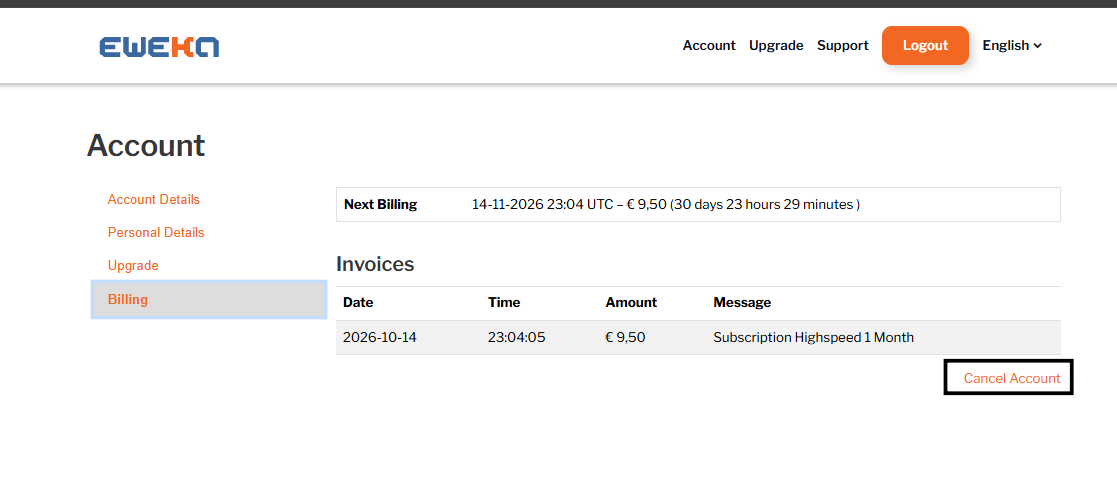
Navigate to Billing under your account settings, then select Cancel Account.
-
Confirm your decision to proceed with the cancellation.

-
Completion: Your Eweka account will be canceled successfully.
Note: If your subscription payments are managed through PayPal, you must cancel the recurring payments directly in your PayPal account.

