

How to Configure Extra Usenet Servers in Usenet Wire
276
views

Usenet Wire allows Eweka users to add additional NNTP servers alongside their primary Eweka connection. This may help improve article availability and completion when providers have different retention policies or article availability.
To add an additional Usenet server:
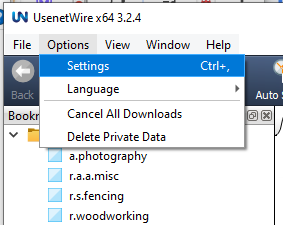
- Launch Usenet Wire.
- Open the Options menu.
- Select Settings.
- Select Backup NNTP
- Click the Add Button to add a new server.
- Enter the following information for your backup server:
- Host Name: Enter the server hostname supplied by your provider.
- Port Number: Port number of the server.
- UNENCRYPTED: 119
- SSL: 563
- Username and Password: Input your login information.
- Set the number of connections.
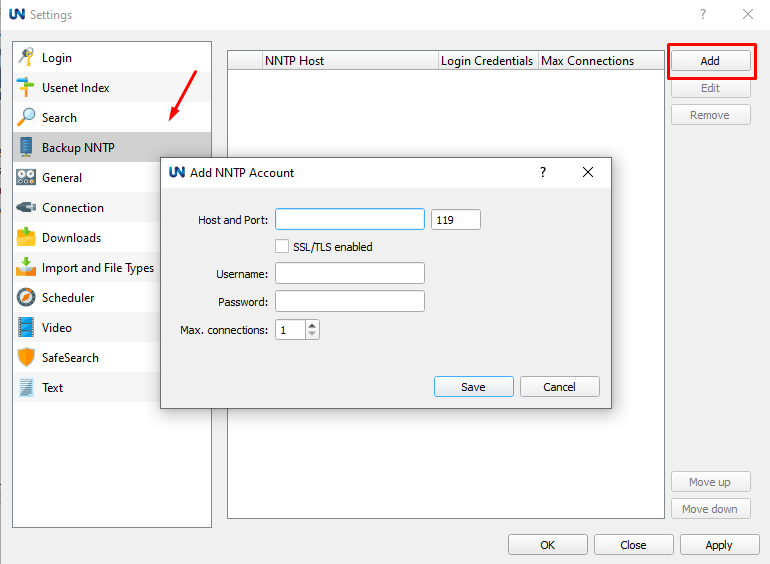
- Click Save.
Once added, Usenet Wire will attempt to use the servers in order of priority. You can rearrange them by highlighting a server and clicking either the Move up or Move down button.

